
Couple of days back I started to host one of my website with Go Daddy Web Hosting. But unfortunately I experienced severe issued with it. It included slow page loads, HTTP Errors etc. So I wanted to know about the System specifications of my web server assigned by GD. Finally I found a php script called phpsysinfo. It's a great script and simple too to find hardware specifications of the server.
Follow the step by step instructions to set it up.
1. Download the script from http://rk4an.github.com/phpsysinfo/.
2. Extract the folder.
3. Then upload the extracted folder to your webserver using FTP or any File Manager provided by your host.
4. Then move inside phpsysinfo folder.
5. Rename phpsysinfo.ini.new to phpsysinfo.ini.
6. Then from your browser go to domain.com/phpsysinfo.
My Story with phpsysinfo:
See the following screenshot of the Go Daddy Server. Definitely you will detect the problem :
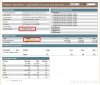
Source: http://blog.srijit.com/detect-the-hardware-of-your-web-host-using-a-simple-php-script
Follow the step by step instructions to set it up.
INSTRUCTIONS
1. Download the script from http://rk4an.github.com/phpsysinfo/.
2. Extract the folder.
3. Then upload the extracted folder to your webserver using FTP or any File Manager provided by your host.
4. Then move inside phpsysinfo folder.
5. Rename phpsysinfo.ini.new to phpsysinfo.ini.
6. Then from your browser go to domain.com/phpsysinfo.
My Story with phpsysinfo:
See the following screenshot of the Go Daddy Server. Definitely you will detect the problem :
Source: http://blog.srijit.com/detect-the-hardware-of-your-web-host-using-a-simple-php-script
Last edited by a moderator: